Browser-based video converter

M3U8 to MP4

Download a compatible HLS stream and save it as an MP4, with the conversion running locally in your browser.

0server uploads
MP4download output
1

Source and duration

Choose the section of the stream you want to package.

500.0 MB browser limit
Maximum 30 minutes
seconds
1

Add a stream

Paste a direct M3U8 playlist URL that is accessible from your browser.

2

Choose a clip

Set the amount to download. This prevents live streams from running indefinitely.

3

Save the MP4

FFmpeg remuxes the downloaded segments and exposes a local download when ready.

Conversion flow

From streaming playlist to one video file

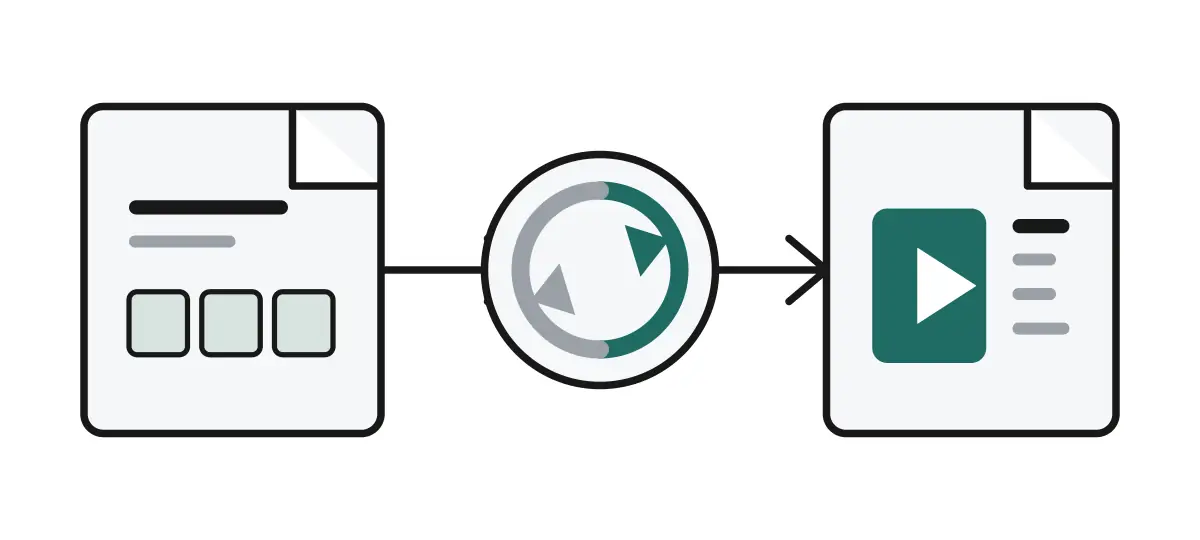
The browser reads a compatible playlist, gathers the selected video segments, and packages them into an MP4 file ready to save.

A playlist document becomes browser processing and then a downloadable video file.
M3U8 playlist
References the video segments.
Browser processing
Runs locally with FFmpeg.wasm.
MP4 download
Saves the selected clip as one file.

Example source

Test the converter with a public stream

Public test playlist

https://test-streams.mux.dev/x36xhzz/x36xhzz.m3u8

Loading the example sets a 30-second duration, so you can verify the CDN download and local conversion before using another source.

Use responsibly

Only download video you own or are permitted to save. Review a third-party source before starting a conversion.

About this tool

A local converter for compatible HLS video

M3U8 is a playlist format used by HLS video. This tool downloads the playlist and its video segments into your browser, then uses FFmpeg.wasm to package them as an MP4. No uploaded video is sent through this site.

Before you start

  • Use streams you own or have permission to download.
  • The playlist and every segment must allow browser CORS access.
  • DRM, Sample-AES and byte-range streams are not convertible here.
  • Longer clips require more memory and local storage.

Format guide

M3U8 and MP4: what is the difference?

M3U8 and MP4 solve different video-delivery problems. An M3U8 file is a text playlist that tells a player where to find small HLS video segments. An MP4 file is a single media container that stores the video and audio together.

M3U8 / HLS playlist

M3U8 is the manifest used by HTTP Live Streaming. Instead of containing video itself, it references many short `.ts` or fragmented MP4 segments and can offer multiple quality levels.

Strengths

  • Adapts playback quality to the viewer's connection.
  • Works well for live broadcasts and very long video.
  • Can begin playing before the complete program is available.

Trade-offs

  • Requires a reachable playlist and its individual segment URLs.
  • Is less convenient to archive, share, or play offline as one file.
  • May use DRM or browser restrictions that prevent local conversion.
MP4 media file

MP4 is a portable container that combines encoded video, audio, subtitles, and metadata into one downloadable file. It is widely supported by phones, computers, editors, and media players.

Strengths

  • Easy to download, store, transfer, and play offline.
  • Compatible with most devices and video editing software.
  • Keeps a selected clip together in one file.

Trade-offs

  • Needs the complete selected clip before it can be saved.
  • Does not adapt quality dynamically while being played.
  • Long or high-quality files can use substantial device storage.
Best for streaming

Use M3U8 when viewers need adaptive playback or a live stream.

Best for offline viewing

Use MP4 when you need one file to keep, share, or edit.

What this tool does

It packages compatible downloaded HLS segments into an MP4 without re-encoding them.

User feedback

Help improve this converter

Real user feedback will appear here as it is collected. Share what worked, what did not, and the browser or stream type you used so the tool can become more reliable.

No feedback published yet

Be the first to report your conversion experience.

Send feedback